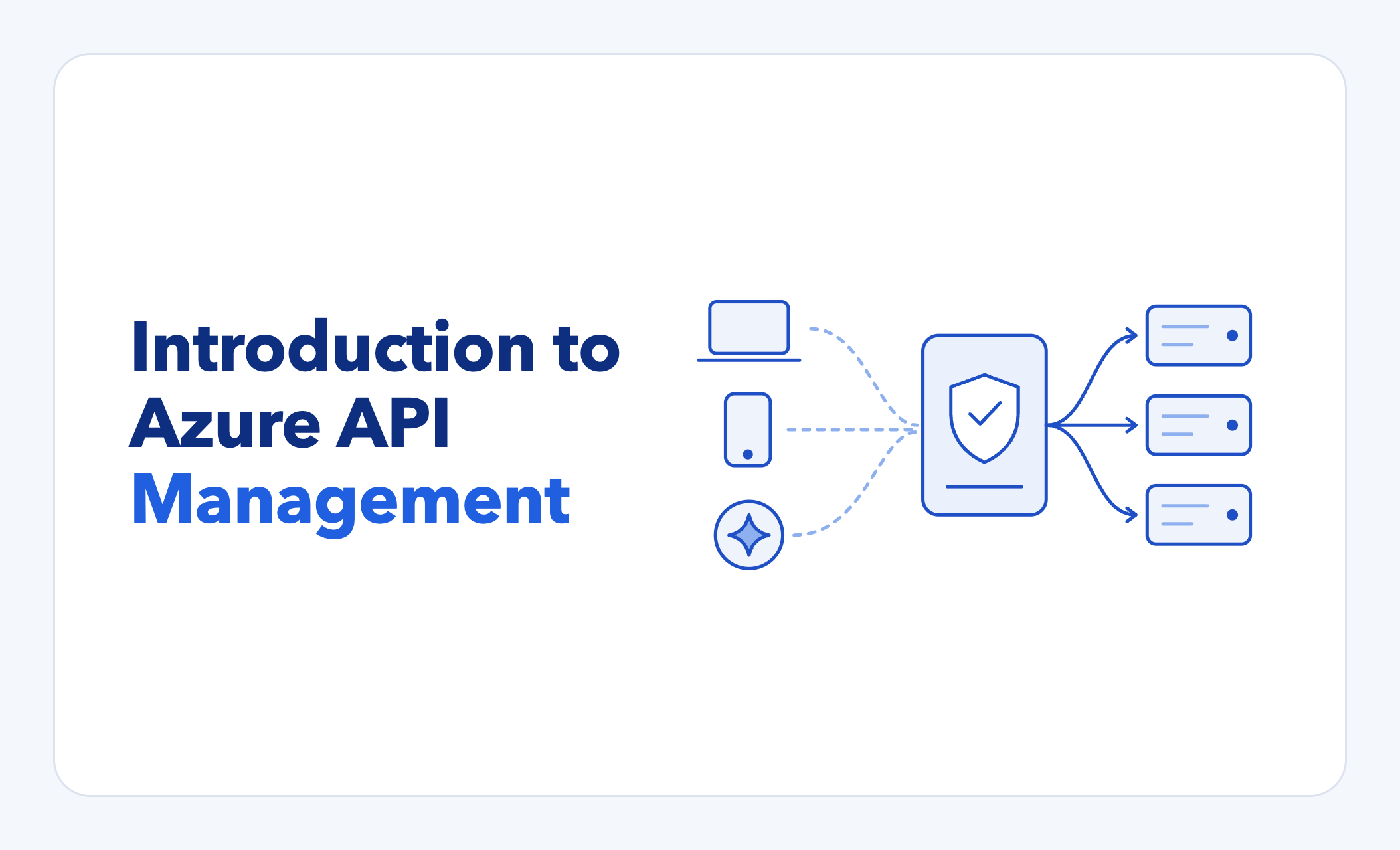
Introduction to Azure API Management
What is it?
Azure API Management (APIM) is a front door for all your APIs. Callers talk only to APIM. APIM checks who they are, decides what they can reach, and passes the request to the real service behind it.
Think of APIM as a front desk at an office building. Visitors (API callers) never walk straight into the offices upstairs (the APIs). Instead, they check in at the front desk and get sent to the right place in the building based on whether certain criteria are met.
Features
Some capabilities below depend on the APIM service tier you choose.
Security
Identity checks: Checking the visitor's ID at the desk. APIM confirms every caller's identity and permissions, such as requiring a valid sign-in and membership in a specific Entra ID group.
IP filtering: Only visitors who came through the main entrance get in. Anyone who entered through a side door is turned away. APIM can accept or block traffic based on where it comes from, like a specific vendor IP range.
Passing permissions to the backend: The desk puts a sticker on the badge saying the visitor can take items from the cafeteria. APIM can pass along who the caller is and what role they hold, so a read-only user can view records but not change them.
Private backends: The offices have no street entrance. The only way in is through the lobby. Your services can stay private, in the cloud or on-premises, while APIM is the only public entry point.
Threat protection: A security guard watching the lobby cameras for suspicious behavior. Bundle the Microsoft Defender for APIs add-on to detect attacks and unusual traffic, and to flag APIs that handle sensitive data.
Traffic control
Rate limiting: The desk lets each visitor through only so many times per hour, so one person can't tie up a busy office. APIM caps how often each caller can make requests in a short period, which protects your services from overload or abuse.
Quotas: Each company gets a fixed number of visits per month. APIM can cap total usage per caller over longer periods, which is useful for partner tiers or usage-based plans.
Response caching: The receptionist learns the guest Wi-Fi password and gives it out without calling upstairs every time. APIM can store frequent responses and answer repeat requests itself. Responses get faster and your services do less work.
Retries and circuit breakers: If an office doesn't pick up, the desk tries again. If it keeps not answering, the desk stops sending visitors up for a while. APIM can retry failed requests automatically, and it temporarily stops sending traffic to a service that keeps failing.
Load balancing: Several receptionists can sign for packages, and the desk spreads visitors across whichever ones are free. APIM can spread traffic across several copies of a service and, with circuit breakers in place, steer away from any that keep failing.
Routing and visibility
Moving services without breaking clients: If the office moves floors, the desk just sends visitors to the new spot. Callers always use the same address. You can move, rebuild or replace the service behind it without them noticing.
Analytics and logging: There's a sign-in book. The front desk knows who visited, which offices were busiest, and how long people waited. APIM can record request activity, so you can see usage, performance and errors, and send that data to your monitoring tools or use Microsoft's built-in tools.
Changing requests and responses
Transformation: The desk works as an interpreter between visitors and offices that speak different languages. APIM can reshape requests and responses as they pass through, like converting formats, renaming fields or hiding internal details. Your services don't need to change to be accommodated.
Mock responses: The office isn't built yet, so the desk hands visitors a sample brochure so they can start planning future visits. APIM can return sample responses before the real service exists, so other teams can start building against it right away.
Versions and revisions: The old office and the remodeled one are open on different floors, and the desk sends visitors to whichever they asked for. APIM can run old and new versions of an API side by side, so you can test changes before making them live.
Partner management
Developer portal: There's a lobby kiosk with the directory, maps and a sign-up form, so visitors can help themselves. APIM includes a self-service website where partners can read documentation, try the API and request access.
Access tiers and keys: Color-coded visitor badges that open different floors and offices. APIM can group APIs into packages and give each consumer their own key, which you can track, rotate or revoke.
AI gateway
Making existing APIs AI-ready: The desk takes an office's paper menu of services and reads it out in a language AI assistants understand. APIM can present your existing APIs as tools that AI assistants can discover and use, with no changes to the services themselves.
AI usage limits: The building's consultant bills by the minute, so the desk gives each department an allowance. APIM can track and cap how much each team or app uses AI models.
Smart caching for AI: The desk recognizes when two visitors ask the same question in different words and repeats the earlier answer. APIM can tell when a new AI prompt means the same thing as an earlier one and return the saved answer, which saves time and cost. It relies on an embeddings model and a compatible cache, such as Azure Managed Redis.
Content safety: The desk screens what visitors carry in and turns away anything inappropriate. APIM can screen AI prompts for harmful content before they reach the model.
Other
Gateways in your own environment: A satellite front desk at a branch office that follows headquarters' rules. APIM's self-hosted gateway can run on-premises or in other clouds while you manage it centrally from Azure.
Multi-region resilience: Front desks are in several buildings. If one building closes, visitors go to another. APIM's gateway can run in several regions. When the services behind it are also deployed in more than one region, your APIs stay available if one region goes down.
Managing third-party credentials: The desk holds the keys to partner buildings. When an office needs something from them, the desk handles the key. APIM's credential manager can securely store and refresh the OAuth 2.0 tokens your APIs need for outside services, so your code doesn't have to handle them directly.
How we put APIM to work for a client
Our client needed to open several internal systems to outside partners and AI tools without exposing those systems to the internet. APIM became the one front desk for all of it.
1. A secure front door for a partner-facing application
A business-critical application ran on-premises. Outside partner applications needed to reach it, but opening that server to the internet was not an option.
How APIM helped
- Single public address: Partners reach a single public address. Every request is checked for a valid identity before going any further.
- Private route to on-premises: Approved requests travel privately from the cloud to the datacenter. The application itself never becomes publicly reachable.
- Backend migration: When the application later moved from a traditional server to a modern container platform, we changed only where APIM sends traffic. Partners kept using the same address and noticed nothing.
How another organization might use this: If you have older systems that partners or mobile apps need to reach, APIM lets you expose them safely now and modernize the backend later without breaking anyone.
2. Connecting an internal database to an enterprise AI assistant
The client wanted their AI assistant to answer questions using data from an internal database. Two problems stood in the way. The assistant expected a specific sign-in process that the database tooling didn't support, and AI access to company data needed tight control.
How APIM helped
- Sign-in bridge: Using APIM policies, we filled the gap between the two. APIM supplied the sign-in steps the AI assistant expected, so users could sign in with their existing company accounts.
- Request verification and scoped access: Every request is verified at the gateway. APIM then tells the database layer exactly what that caller may see, so the AI reaches only approved data.
- Single published endpoint: Only the single AI integration endpoint is published. Nothing else behind it is reachable.
How another organization might use this: Companies adopting AI assistants want them to use internal knowledge from CRMs, ticketing systems, data warehouses and document stores. APIM lets you connect those systems while keeping your existing sign-in, permissions and audit trail in charge.
3. Adding more AI integrations quickly
Soon after the first AI integration, the client wanted another, this time connecting their AI assistant to a third-party marketing platform.
How APIM helped
- Reuse of pattern: We reused the same pattern: same sign-in, same identity checks, same way of publishing. The new integration simply got its own path behind the same front door.
- Usage limits: Usage limits protect the outside platform's usage allowance and stop any single caller from overloading it.
- Defense in depth: The service behind it checks identity a second time, adding another layer of protection.
How another organization might use this: Once you've built one secure AI connection through APIM, each new one is mostly configuration, so you can grow from one AI integration to many without a new security project each time.
Foundations that support every integration
- Built to stay up: The setup runs in more than one cloud region, with traffic shifting automatically if one region has problems. Any organization with uptime commitments to partners or customers can use the same approach.
- Layered security: Traffic passes through a web application firewall before reaching APIM, and APIM accepts requests only from that path.
- Central monitoring: Every request through the gateway goes to a central monitoring platform, giving the team a single view of usage, errors and performance. This helps with troubleshooting, capacity planning and compliance audits.
- Defined as code: The whole setup is defined in code and deployed through automated, approval-gated pipelines. Every environment matches, changes are reviewed, and nothing depends on manual clicks.
Interested in how Covene can help?
Send us a message at covene.com/contact and we'll meet with you to discuss how APIM could fit into your organization!
Microsoft documentation
- What is Azure API Management? (key concepts)
- API Management policy reference
- Backends, load balancing, and circuit breakers
- Virtual network concepts (private backends)
- Microsoft Defender for APIs overview
- Enable Defender for APIs in API Management
- Subscriptions and keys
- Secure developer portal access
- Revisions
- Observability in API Management
- Gateways overview (managed and self-hosted)
- Availability and reliability
- Deploy to multiple Azure regions
- Credential manager overview
- AI gateway capabilities
- Secure access to MCP servers
- Azure Front Door in front of API Management